
Slack
Slack creative desk
Marketing and ops request on-brand creatives in Slack; the agent pulls Brandiseer brand memory and returns stills in-thread in minutes.
- Brandiseer
- Slack
- Claude (Cowork or Claude in Slack)
Slack + Claude + Brandiseer
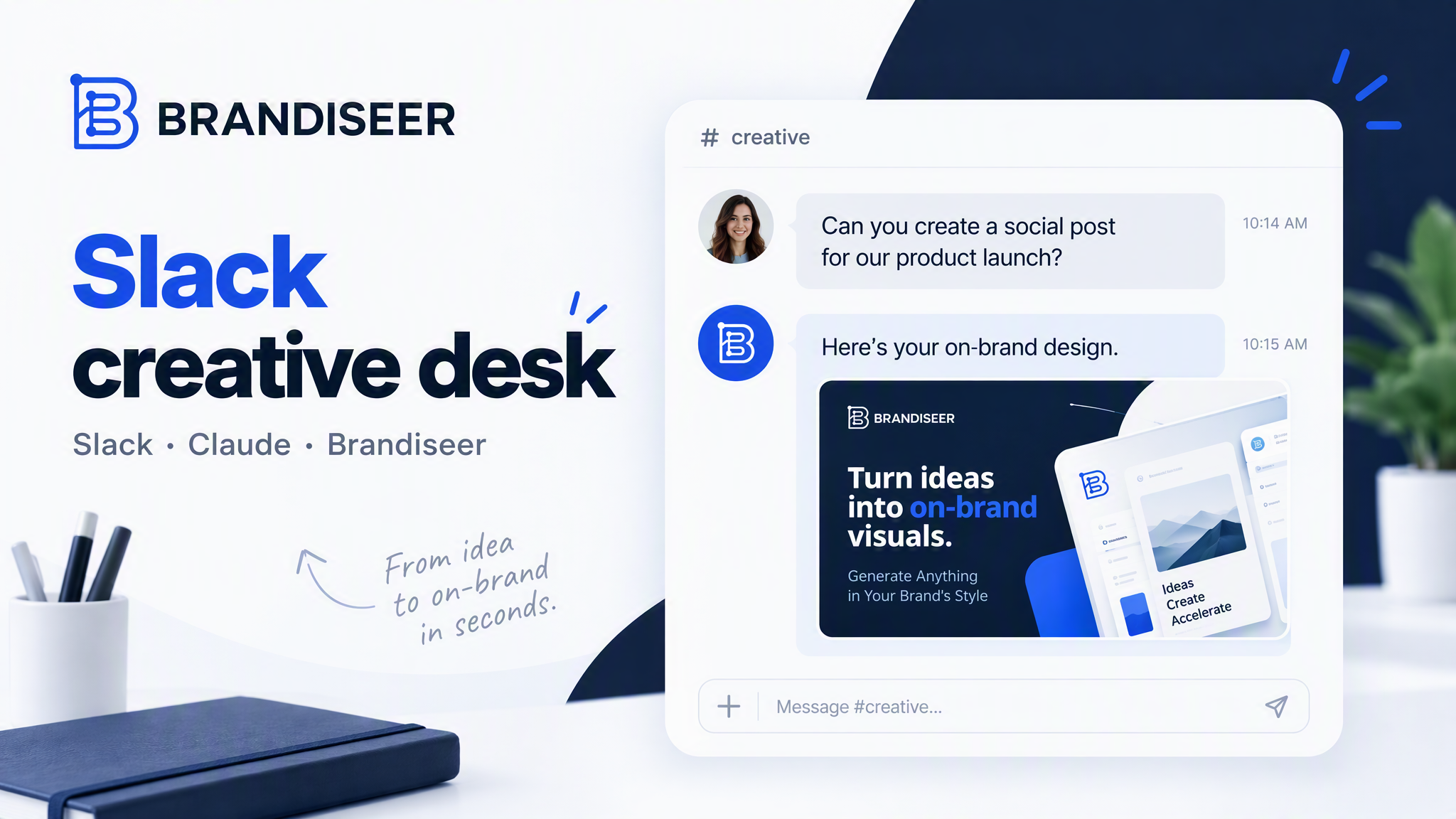
By the end of this guide you will have an in-Slack creative desk. Teammates request stills in a channel or thread; a Claude agent (Cowork with Slack access, or Claude in Slack) resolves the brand via Brandiseer, generates on-brand images, and posts the results back in-thread within minutes. This is a request-and-return desk, not a Buffer social scheduler.
Looking for recurring captions and scheduled posts? Use the separate Social media automation guide (Brandiseer + Claude Cowork + Buffer).
Who it is for
- Marketing and growth teams that brief creatives in Slack and hate waiting on a ticket queue
- Ops, founders, and PMM leads who need campaign stills, event graphics, or ad crops without opening a design tool
- Agencies running multiple client brands who want one Slack pattern per client (or one multi-brand desk with clear brand IDs)
- Teams that already use Claude (Cowork and/or Claude in Slack) and want Brandiseer brand memory behind every image
Ideal customer profile: an SMB or mid-market team (roughly 5–50 people touching marketing) with an approved brand in Brandiseer, Slack as the daily workplace, and enough Brandiseer credits for interactive generations during the week.
Why Brandiseer
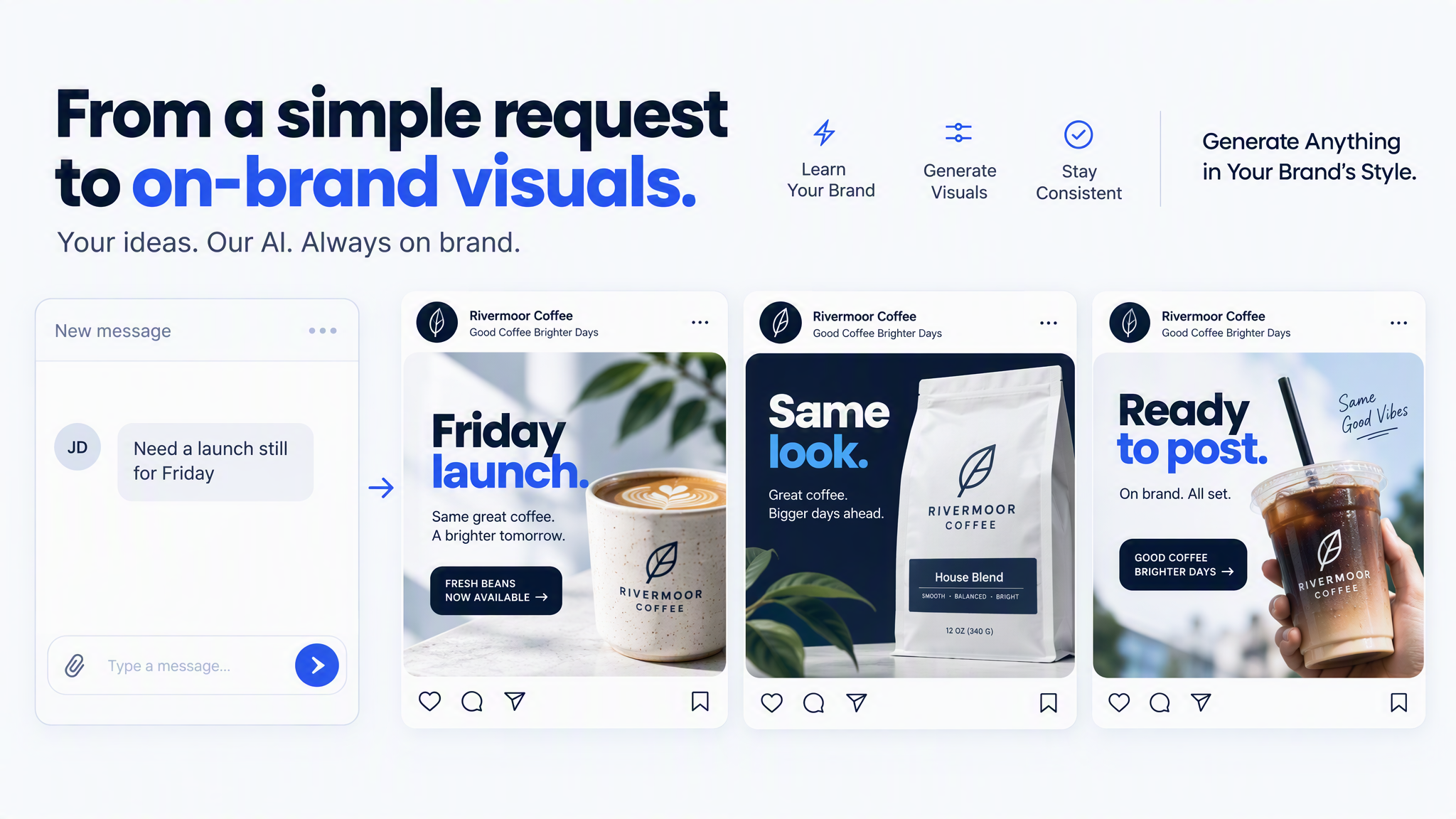
Slack is where the brief already lives. Claude is the agent that understands the request. Brandiseer owns persistent brand memory: logo, colours, type, and visual identity stay applied on every still so each teammate does not re-explain the brand in every message.
Without Brandiseer, Slack-side AI creatives drift toward generic stock looks or last-message vibes. With Brandiseer, the image step stays on-brand while Slack stays the request and review surface.
Brandiseer does not post to social networks and does not replace Slack approvals. It generates the still. Your team keeps ownership of copy, legal, and publish steps.
Stack
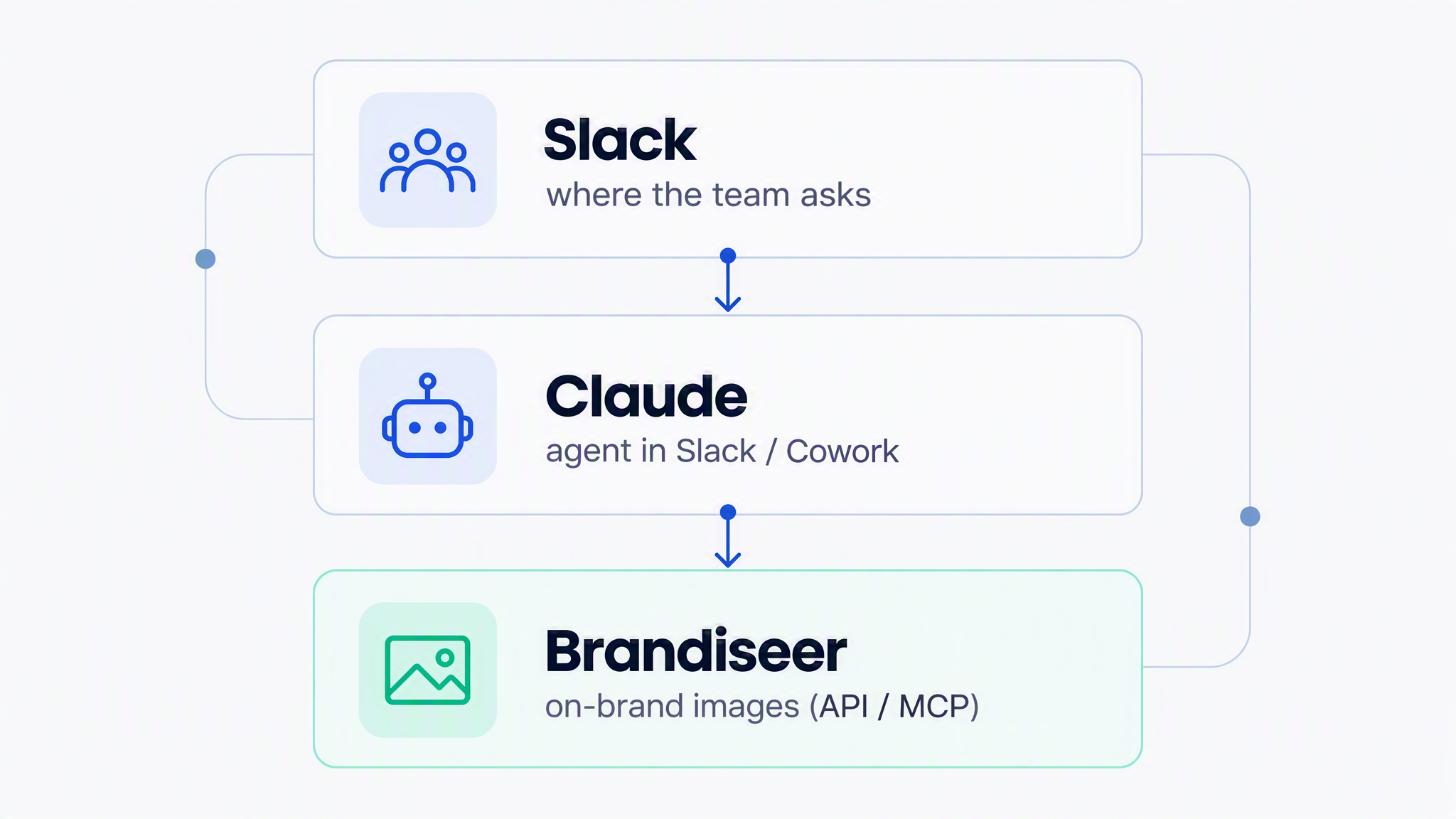
| Layer | Tool | Role |
|---|---|---|
| Request surface | Slack | Channel or thread where humans ask for creatives and review results |
| Agent host | Claude Cowork or Claude in Slack / Slack-connected agent | Parse the brief, call Brandiseer, reply in-thread with image URLs or uploads |
| Brand visuals | Brandiseer (MCP and/or REST v2) | List brands, check credits, generate on-brand stills |
Docs: Developers · API reference / guide/docs · Prompt compatibility / guide/image · MCP https://brandiseer.com/api/mcp
Endpoint tables and HTTP contracts are in API reference at the end of this guide.
How it works
- You store the brand once in Brandiseer (logo and reference visuals teach the look).
- You connect Brandiseer to Claude via MCP and/or paste the API key + Brand ID for REST v2.
- You install or enable the Claude agent path that can read and reply in your Slack workspace (Cowork with Slack, or Claude in Slack, depending on your Anthropic/Slack setup).
- You run the setup wizard (below). Claude asks ~10–15 questions and writes a durable desk system prompt (default brand, aspect ratios, when to ask clarifying questions, credit checks).
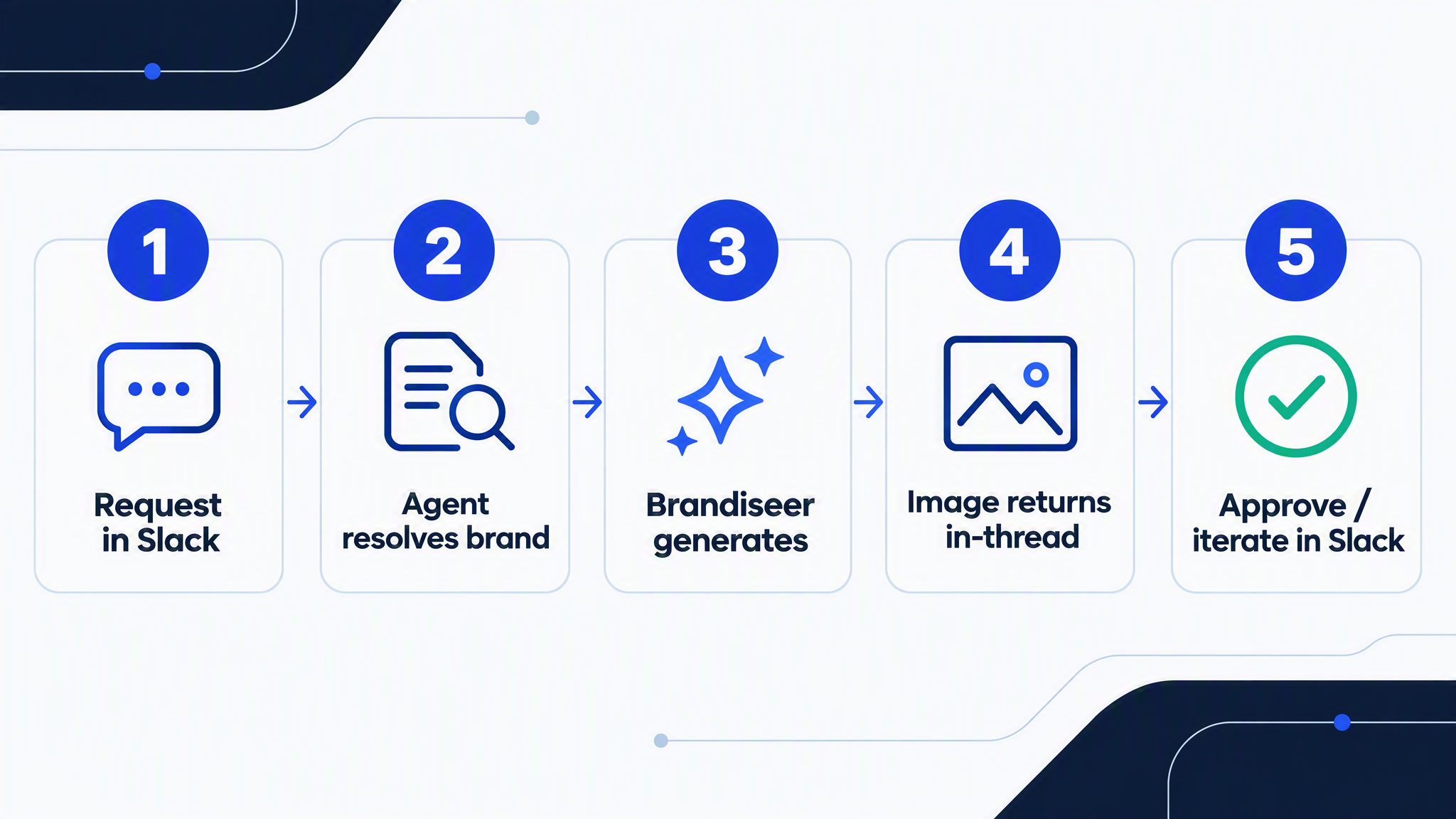
- Teammates
@mentionthe agent (or use your agreed trigger) in a creative channel with a plain-language brief. - The agent resolves
brandId, writes a Brandiseer-compatible prompt (subject and layout only), generates the still, and returns the image in-thread for human approval or a single revision.
Typical turnaround for one Fast or Design still is measured in minutes, not design-ticket days. Design mode can take longer (often tens of seconds); use async REST when timeouts are tight.
Connect the workflow
Give the agent access to Brandiseer
Create an API key for the runnable setup, or connect the hosted MCP endpoint when your agent supports MCP.
What you need
- Company website URL (for first brand analysis)
- Brandiseer account with at least one finished brand profile
- Brandiseer API key (
bds_…) from Settings → API / Developers - Brand ID (
bds_c_…) for each brand the desk may use - Enough Brandiseer credits for interactive desk usage
- Slack workspace and a dedicated creative channel (recommended), for example
#creative-desk - Claude Cowork and/or Claude in Slack (or another Claude agent that can use Brandiseer MCP/REST and post back to Slack)
- Optional: pinned channel rules so humans know how to brief (aspect ratio, logo on/off, deadline)
Setup
Stage 1: Add your brand on Brandiseer
- Go to brandiseer.com. In the homepage input, enter your company website URL and click Try My Brand.
- Wait about one minute while Brandiseer analyses the site and picks a logo and visuals.
- Review those visuals carefully. They teach Brandiseer your look. Every later Slack still is influenced by what you leave here.
- Remove anything off-brand (partner logos, stock, irrelevant screenshots). Add campaign creatives or product photography that match the style you want.
- Click Add Brand, sign up if prompted, then wait ~30 seconds for the brand profile to finish.
Stage 2: Get credentials and connect Brandiseer to Claude
-
Create an API key (
bds_…) and note your Brand ID (bds_c_…). -
Prefer one of these Claude connection paths:
A. MCP (interactive desk)
Connect Brandiseer MCP athttps://brandiseer.com/api/mcpwithAuthorization: Bearer <api-key>in the Claude environment that will serve Slack. Confirm the three tools appear:brandiseer_list_brands,brandiseer_check_credits,brandiseer_generate_image.B. REST v2 (explicit control / async)
Open View Docs, use Copy for LLM, and paste the reference into the Cowork (or agent) session. Instruct Claude to preferPOST /api/v2/generateor/generate/asyncwithX-API-Key. -
Optionally ask Claude to fetch
https://brandiseer.com/guide/imageandhttps://brandiseer.com/guide/docsonce and keep those rules in the desk system prompt.
Stage 3: Wire Slack as the request surface
- Create or choose a channel such as
#creative-desk(and optional client channels for agencies). - Invite the Claude agent / app that will run the desk.
- Pin a short human brief format, for example: brand name (if multi-brand), what is in the frame, crop (
1:1/9:16/16:9/4:3), logo yes/no, and any on-image text that must appear. - Agree a trigger:
@Claude/ your bot mention, a slash-style habit your workspace uses, or “reply in-thread to the desk bot”.
Exact Slack install steps depend on whether you use Claude in Slack, Cowork with Slack connectors, or another Claude agent host. The creative contract is the same: read the human brief in Slack → call Brandiseer → post the still back in the same thread.
Stage 4: Run the setup wizard
- In the Claude session that owns Brandiseer access, paste the Appendix: Desk wizard / system prompt below.
- Answer questions one at a time. Have API key (if REST), Brand ID(s), default aspect ratios, and Slack channel names ready.
- When finished, Claude should produce a durable desk system prompt (and, if Cowork-scheduled helpers exist in your setup, any optional credit-watch note). Save that system prompt as the agent’s standing instructions for
#creative-desk.
Stage 5: Smoke test in Slack
- In
#creative-desk, send a simple brief, for example: “LinkedIn square still: product on a desk, headline space top third, logo bottom right.” - Confirm Claude lists or selects the correct brand, checks credits if balance is low, generates via MCP or REST v2, and returns the image in-thread.
- Ask for one revision (“same layout, more negative space on the left”) and confirm the second still stays on-brand without style/colour language in the prompt.
Prompting rules for Brandiseer images (desk agents)
When Claude turns a Slack brief into a Brandiseer prompt:
- Describe layout, composition, subject, and on-image text placement only.
- Do not describe brand colours, fonts, mood filters, or visual style. Brand memory already applies those. Style words in the prompt can fight the brand and produce off-brand results.
- Map platform language to API parameters: square →
aspectRatio: "1:1", Story/Reel →"9:16", landscape banner →"16:9", and so on. Put resolution and mode in the API call, not in prose inside the prompt. - Prefer design mode for quality desk stills; use async when Design may exceed HTTP timeouts; fall back to fast if design fails once.
- Use
useLogo: trueonly when the human asked for the logo (or your desk default says so). - Full rules: Prompt compatibility.
Setup wizard / system prompt outline
Appendix: Desk wizard (paste into Claude)
You are setting up a Slack creative desk for Brandiseer. Outcome: humans request
on-brand stills in Slack; you generate via Brandiseer and return images in the
same thread within minutes. This is NOT a Buffer / social scheduling workflow.

Ask these questions one at a time. Wait for each answer before moving on.

1. Will you use Brandiseer MCP, REST v2, or both? (MCP URL:
   https://brandiseer.com/api/mcp with Bearer token; REST with X-API-Key.)
2. What is your Brandiseer API key? (Store only in the agent secret store /
   system prompt vault your host provides. Never echo it back into public Slack.)
3. What is the default Brandiseer Brand ID (bds_c_…)? If multi-brand, list each
   brand name → Brand ID mapping.
4. What Slack channel(s) is this desk for? What is the trigger phrase or mention?
5. Default aspect ratio when the human does not specify? (1:1, 16:9, 9:16, or 4:3)
6. Default resolution? (1K recommended for Slack previews; 2K/4K when asked)
7. Default generation mode? (design for quality, fast for quick drafts, pro when
   the human asks for maximum adherence)
8. Default useLogo true or false when the brief is silent?
9. Language for any on-image text (and per-brand overrides if any)?
10. When should you ask a clarifying question instead of generating immediately?
    (missing crop, ambiguous brand, legal/claims risk, empty brief, etc.)
11. How many revision rounds are allowed per thread before you ask the human to
    open a new request?
12. Should you call brandiseer_check_credits (or GET /api/v1/credits) before each
    generation, only when low, or only on /credits requests?
13. Who may use the desk (everyone in the channel, or named roles only)?
14. Any banned subjects, competitor names, or claims that must never appear?
15. Optional: attach a short brand/voice note or strategy PDF for context that is
    NOT style (Brandiseer already owns visual style).

After answers, do the following once:

- Fetch https://brandiseer.com/guide/image and https://brandiseer.com/guide/docs
  (unauthenticated) and incorporate the rules into the standing desk instructions.
- If MCP is enabled, call brandiseer_list_brands and confirm the default Brand ID
  exists. If REST only, GET https://brandiseer.com/api/v1/brands or the v2 brands
  list your docs describe, with X-API-Key.
- Write a durable DESK SYSTEM PROMPT the agent will use on every Slack request.
  Embed: brand map, defaults, clarifying rules, credit policy, banned topics,
  and the Brandiseer prompt-compatibility rules (no colour/font/mood style words).
- Confirm setup in Slack with a one-line “desk is live” message in the creative
  channel (do not include the API key).

--- STANDING BEHAVIOUR FOR EVERY SLACK REQUEST ---

1. Read the latest human brief in the thread. Infer brand from explicit name or
   channel default. If ambiguous and multi-brand, ask which Brand ID to use.
2. Check credits per the policy from setup.
3. Rewrite the brief into a Brandiseer-compatible image prompt: subject, layout,
   composition, on-image text only. Strip colour, typography, and aesthetic style
   language. If stripping leaves no content, ask what should physically be in frame.
4. Set aspectRatio, resolution, mode, and useLogo as API/MCP parameters (not as
   style prose). Prefer design mode; on timeout-prone hosts use
   POST /api/v2/generate/async then poll GET /api/v2/jobs/:jobId every 3–5 s
   (jobs expire after ~10 minutes; failures refund credits).
5. Reply in the same Slack thread with the image (upload or imageUrl), plus a
   one-line note: brand used, mode, aspect ratio, credits used if known.
6. On revision requests, keep the same brand and change only the content/layout
   the human named. Do not invent a new visual style.
7. Never schedule social posts, never call Buffer, and never claim Brandiseer
   published anything. The desk returns stills only.
Compact standing instructions (after wizard)
Keep roughly this contract on the agent:
- Slack in → Brandiseer still out (same thread).
- Brand memory from Brandiseer; prompts = content + layout only.
- Defaults from wizard; ask when brand or crop is unclear.
- MCP tools only as documented, or REST v2 image endpoints as documented.
- No social automation in this use case.
Optional add-ons
Paste one at a time into Claude after the base desk works.
1: Approval emoji gate
Only treat the still as “approved” when a named reviewer reacts with a chosen emoji (for example ✅). Until then, label replies as draft. Brandiseer generation is unchanged; this is Slack process only.
2: Aspect-ratio presets by request type
Map phrases to Brandiseer aspectRatio: “in-feed” → 1:1, “story” → 9:16, “header” / “blog hero” → 16:9, “presentation slide” → 4:3 (or 16:9 if that is your deck standard). Ask once if the phrase is ambiguous.
3: Multi-brand routing
Maintain an explicit brand name → Brand ID table in the system prompt. Require a brand token in every brief when more than one Brand ID is configured. On mismatch, list valid brands from brandiseer_list_brands and ask.
4: Credit soft-limit
If remaining credits fall below a threshold you set (for example 40), warn in-thread before generating and suggest Fast mode or a smaller resolution. Still respect an explicit human “generate anyway”.
5: Still → motion handoff (optional, separate from the desk MVP)
For motion, chain a finished still into Brandiseer video (v2.1 image-to-video only): take imageUrl from v2 image generation, then use POST /api/v2.1/video/generate and poll the video job. Read guide/video. Keep this behind an explicit “animate this” request so the default desk stays stills-in-minutes.
6: Handoff to social automation
When a still is approved in Slack and the team wants scheduled publishing, point humans to the Social media automation guide (Buffer + Cowork). Do not implement Buffer inside this desk prompt.
FAQ / limits
- Is this the Buffer social guide? No. Slack creative desk returns on-brand stills in Slack. Social media automation schedules posts with Buffer.
- MCP vs REST: MCP today exposes
brandiseer_list_brands,brandiseer_check_credits, andbrandiseer_generate_image. Prefer REST v2 when you need async jobs, explicitmode/aspectRatio/resolutioncontrol, or polling. Do not invent undocumented tools or fields. - Credits: Fast / Design / Pro spend credits by resolution (see guide/docs and pricing). Failed generations should refund automatically. Interactive desks spend credits whenever someone asks for a still.
- Speed: Fast is quicker; Design is higher quality and can take ~40–70 seconds. Use async REST if your agent HTTP timeout is under ~60 seconds.
- Off-brand results: Almost always caused by colour, font, or mood/style language in the prompt. Strip those per guide/image and regenerate.
- Secrets: Never post the
bds_API key into a public Slack channel. Prefer MCP auth or a secret store on the agent host. Rotate keys if exposed. - Video: Not part of the default desk. v2.1 is image-to-video only (a still is required first).
- Human approval: Brandiseer does not approve brand-safe claims or legal copy. Keep a human in the Slack thread for launch assets.
- Claude product variants: Cowork vs Claude in Slack availability depends on your Anthropic and Slack plan. The Brandiseer contract is identical once the agent can call MCP/REST and reply in-thread.
Motion / demo brief (for later assets)
Working title: Slack creative desk in minutes
Length: 45–75 seconds
Story beats:
- Teammate types a brief in
#creative-desk - Agent resolves Brandiseer brand memory (list brands / default Brand ID)
- Still generates (no style words in the prompt)
- Image appears in the same Slack thread for ✅ approval
Visual refs: Slack thread screenshot (blur secrets), Brandiseer Developers / brand page, sample on-brand still.
Generation prompts: fill when producing motion assets.
Example Slack flows
Flow A: Single still, default brand
Alex (in
#creative-desk):@ClaudeNeed a 1:1 LinkedIn still for tomorrow’s webinar. Speaker at a laptop, title “Ops metrics that matter” in the top third, leave room bottom-right for logo.
Agent: Selects default brandId → builds a layout-only prompt → mode: design, aspectRatio: "1:1", useLogo: true → posts the still in-thread with a short confirmation.
Flow B: Multi-brand agency channel
Sam:
@Claudebrand: Northwind. 9:16 story announcing 20% off winter kits. Product flat-lay, bold discount numeral centre, no lifestyle backdrop clutter.
Agent: Maps “Northwind” → bds_c_… from the wizard map → generates Story crop → returns still. Does not apply another client’s brand.
Flow C: Clarifying question first
Jordan:
@ClaudeMake it pop for the launch.
Agent: Refuses to invent style. Asks: which brand, what is physically in the frame, which crop, and what on-image text (if any). Only then generates.
Flow D: Credits check
Alex:
@Claudehow many credits do we have?
Agent: Calls brandiseer_check_credits (or GET /api/v1/credits) and replies with the balance. Does not generate an image unless asked.
Flow E: Revision in-thread
Alex (thread reply): Same composition, move the headline lower and add more empty space on the left for a partner logo we’ll composite later. Logo off.
Agent: Same brand, useLogo: false, updated layout prompt only → second still in the same thread.
Links
| Resource | URL |
|---|---|
| Brandiseer | https://brandiseer.com |
| Developers | https://brandiseer.com/developers |
| API / docs guide (LLM markdown) | https://brandiseer.com/guide/docs |
| Image prompt compatibility | https://brandiseer.com/guide/image |
| Video prompting (optional motion) | https://brandiseer.com/guide/video |
| MCP endpoint | https://brandiseer.com/api/mcp |
| API keys | https://brandiseer.com/settings/api |
| Pricing / credits | https://brandiseer.com/pricing |
| Sibling use case: Social media automation | https://blog.brandiseer.com/use-cases/social-media-automation |
Related use cases
- Social media automation (Brandiseer + Claude Cowork + Buffer): sibling guide
- Always-on creative automation (Zapier / Make / n8n): planned
- Creative MCP companions (Higgsfield / Creatify / Moda) using Brandiseer stills: planned
Source
Public Use case README for Brandiseer Agentic Lead (Slack creative desk). Aligned with Brandiseer MCP tools, REST v2 image generation, and agent guides /guide/image and /guide/docs (September 2026). Distinct from the Buffer social automation guide.
API reference
Wiring reference for agents and HTTP modules. The sections above are the human path.
What each Brandiseer access path does
MCP (https://brandiseer.com/api/mcp), authenticate with Authorization: Bearer <bds_…>:
brandiseer_list_brands: list brands available to the API keybrandiseer_check_credits: check remaining credits before a burst of generationsbrandiseer_generate_image: generate one on-brand still
REST (prefer v2 for images) with X-API-Key: bds_…:
POST https://brandiseer.com/api/v2/generate: sync still (response includesimageUrlandcreditsUsed)POST https://brandiseer.com/api/v2/generate/async: submit job, then pollGET https://brandiseer.com/api/v2/jobs/:jobId- Documented image body fields include
brandId,prompt, optionalaspectRatio(1:1,16:9,9:16,4:3),resolution(1K,2K,4K),mode(fast,design,pro), anduseLogo - Legacy
POST /api/v1/generatestill works for older callers (proModeboolean instead ofmode; Fast and Pro only)
Do not invent extra MCP tool names or undocumented REST fields. If Claude needs prompting rules, fetch guide/image. If Claude needs the live API summary, fetch guide/docs.
Related use cases
All use casesCreative MCP
Airtable record visuals
An agent generates on-brand stills with Brandiseer for Airtable records (campaign cards, product thumbs, content calendar covers, launch creatives); a person then attaches those files in an Airtable attachment field, or an agent with an Airtable personal access token writes the public imageUrl into that field. Brandiseer does not create Airtable bases and does not sync records by itself.
- MCP
- REST
- Cursor
- Cowork
- Brandiseer
- Airtable
- Cursor
- Claude Cowork

Automation
Always-on creative automation
Zapier, Make, or n8n triggers generate on-brand stills via Brandiseer REST and deliver image URLs downstream (Drive, Slack, Sheets, CMS, email tools).
- REST
- Brandiseer
- Zapier
- Make
- n8n
EmailOctopus newsletter automation
An agent generates on-brand newsletter heroes and promo stills with Brandiseer, and optionally drafts subject line, body copy, and paste-ready HTML; a person places the assets in EmailOctopus and sends. Brandiseer does not create or send EmailOctopus campaigns.
- MCP
- REST
- Cursor
- Cowork
- Brandiseer
- EmailOctopus
- Cursor
- Claude Cowork
Run it with your brand
Connect the workflow to brand memory.
Save your visual identity in Brandiseer, then use MCP or the API to generate from the same brand across every supported workflow.